Learning Center for Tax and Financial Insights

Stay updated with clear, actionable articles on tax rules, deadlines, deductions, and financial decisions that impact individuals and businesses.

No items found.

Congress Extends Employers' Hiring Tax Credit for Another Year

Article Highlights: Potential Credit Eligible Employees Credit Determination Certification Process Other Issues On December 20, 2019, President Trump signed into law the Appropriations Act of 2020, which included a number of tax law changes, including extending certain tax provisions that expired after 2017 or were about to expire, a number of retirement and IRA plan modifications, and other changes that will impact a large portion of U.S. taxpayers as a whole. This article is one of a series of articles dealing with those changes and how they may affect you. Employers that hire disadvantaged individuals, such as unemployed veterans, SSI recipients, and ex-felons, among others, may benefit from a substantial federal tax credit. Hiring certain new employees can qualify the employer for the Work Opportunity Tax Credit (WOTC), which Congress extended for one additional year, so that it is now available for wages paid to eligible employees who begin work before January 1, 2021. The WOTC is typically worth (i.e., reduces the employers’ tax by) up to $2,400 for each eligible employee, but it can be worth up to $9,600 for certain veterans and up to $9,000 for “long-term family assistance recipients.” Generally, an employer is only eligible for the WOTC when paying qualified wages to members of any of the targeted groups listed below. For more details on the required qualifications for each group, see the instructions for IRS Form 8850 (Pre-Screening Notice and Certification Request for the Work Opportunity Credit). (1) Qualified IV-A recipients – generally, members of a family that is receiving assistance under the Temporary Assistance for Needy Families (TANF) program; (2) Qualified veterans; (3) Qualified ex-felons – generally, those hired within one year of their release; (4) Designated community residents – those who are 18 through 39 years old who are living in an empowerment zone or a rural renewal area*; (5) Vocational rehabilitation referrals – handicapped individuals who are referred by rehabilitation agencies; (6) Qualified summer youth employees – those who are 16 or 17 years old, have never previously worked for the employer, and reside in an empowerment zone*; (7) Qualified members of families who participate in the Supplemental Nutritional Assistance Program (SNAP); (8) Qualified Supplemental Security Income recipients; (9) Qualified long-term family assistance recipients – those receiving TANF assistance payments; and (10) Qualified long-term-unemployed individuals. * Both empowerment zones and rural renewal areas are listed in IRS Form 8850’s instructions. For an employer to qualify for the credit, the employee must work at least 120 hours in the first year and receive at least 50% of his or her wages from that employer for working in the employer’s trade or business. Relatives of the employer as well as employees who have previously worked for the employer do not qualify for the credit.

Explore More
No items found.

Are You Following Best Practices in QuickBooks Online?

Habits can be good things when you’re talking about getting through the workday successfully. You might have developed a habit of responding to emails quickly and preparing checklists before you go into meetings. Maybe you schedule your most challenging work for high-energy times of the day and leave less-demanding tasks for those times when you’re not as chipper. It’s easy to fall into habits with QuickBooks Online, too. You might follow the same workflow pattern every day simply because that’s the way you’ve always done things. There’s nothing wrong with that – as long as you’re incorporating as many of the site’s best practices as you can. That is, you’ve made a habit of taking actions that will lead to the most effective use of QuickBooks Online. Here are four habits we think you should consider developing if you haven’t already. Go through your new transactions every day: One of the five best things about QuickBooks Online is its ability to connect to your financial accounts and import transactions regularly. But this feature is only useful if you review your recently-downloaded transactions every day. Wait too much longer than that, and it will become too overwhelming. We recommend you review your account transactions every day and complete any of the fields necessary. To view an account register, you’d click Banking in the left vertical pane, and then click on the desired account at the top of the screen. When you select a transaction, a small window like the (partial) one pictured above drops down and displays your options. If you have not worked with defining and clearing downloaded transactions before, we can provide guidance here. It’s complicated. Always assign categories to expenses: You’ll get out of QuickBooks Online what you put into it. That is, the more conscientious you are about completing records and transactions thoroughly, the more helpful your reports will be. It’s especially important that you assign categories to expenses and mark them as billable or not. Those categorized expenses will be very important as you’re preparing your company’s income taxes. And you want to be sure that customers are billed for expenses you incur on their behalf. Run aging reports once or twice a week: QuickBooks Online can help you keep up with money owed to you and money you owe, but you have to take the time to stay current with that information. The site’s

Explore More
No items found.

IRS Letters: Tax Scam or Something You Need to Address?

Your taxes contain an array of sensitive information, from financial data to your Social Security number or tax ID number. Because of this, there are many scams that unsavory characters attempt to perpetrate by impersonating the IRS or another tax authority. It can be difficult to tell when the IRS is really seeking information versus when you may be the target of a scam. To help you determine whether the letter you received is a scam or something you need to address, consider the following tips and information. What Are the Next Steps If You Receive an IRS Letter? If you receive a legitimate letter from the IRS, you need to take action to address whatever the IRS needs. There are many situations where the IRS is simply sending you a notice, and you may not have to do anything. However, if the IRS is requesting additional information, it is important to completely understand what they need and act quickly to address the letter. Tax letters can be confusing because it may not be clear what the IRS needs or how you should get the information to them. As your tax professional, we will be able to help you decipher the tax letter and share the right information with the IRS. We are also better able to tell a legitimate letter from a scam as well. It is of the utmost importance that you get in touch with your tax professional to determine the legitimacy of the IRS contact before any other steps. Why Would You Receive a Tax Letter? The IRS almost always initiates a conversation with a taxpayer by sending a letter first. That means that if the IRS needs to speak with you for any reason, you will receive an IRS letter in the mail. Keep in mind that phone calls or emails from the IRS without a corresponding letter are probably part of a scam, rather than a legitimate contact from the IRS. Some of the most common reasons that the IRS sends letters are: You have a tax balance due The IRS has a question about your tax return Identification verification To notify you about a change in your tax return You are due a smaller or larger tax refund To get additional information about your taxes Notification about a delay in processing your return Read the letter carefully to determine what the IRS needs and how you should respond to any tax problems. Some IRS letters do not require that you take any action.

Explore More
No items found.

Congress Adds More Uses for College Savings Plans (Sec 529 Plans)

Article Highlights: Benefits of College Savings Plans Contributions Plan Modifications Tax Cuts & Jobs Act Appropriation Act of 2020 Prudence in Using the Funds Gift Tax Twist On December 20, 2019, President Trump signed into law the Appropriations Act of 2020, which included a number of tax law changes, including extending certain tax provisions that expired after 2017 or were about to expire, retirement and IRA plan modifications, and other changes that will impact a large portion of U.S. taxpayers as a whole. This article is one of a series dealing with those changes and how they may affect you. Congress originally created the Qualified State Tuition Plan, often referred to as the Sec 529 Plan, as a tax-beneficial incentive for parents, grandparents, and others to save money for an individual’s future college tuition and fees. There is no federal tax deduction for making contributions, but taxes on the earnings within a plan are not only tax-deferred while they are held in the account, they are tax-free when withdrawn to pay for qualified education expenses. Thus, the real tax benefit of these plans is the earnings within the plan accumulating tax-deferred and then being tax-free when withdrawn if used for college tuition and related qualified expenses. Contributions - To maximize the tax benefits of a plan, it should be established for a child as soon after birth as possible when funds are available for contribution. For tax purposes, there is no limit on the amount that can be contributed, but contributions are considered gifts and each individual contributing to a plan would have to file a gift tax return if the gift exceeds the annual inflation-adjusted gift tax exclusion, which is $15,000 for 2020. There is also a special gift provision that permits a contributor to contribute up to 5 times the annual gift tax exclusion amount to a qualified tuition account in a single year and treat the contribution as having been made ratably over the five-year period beginning with the calendar year in which the contribution is made. Thus, this provision permits front loading of contributions and accelerates the accumulation of earnings within the account. When this special provision is used, a gift tax return is required in the year of contribution, and any amount contributed that is allocable to the years within the five-year period remaining after the year of the contributor’s death are includible in the contributor’s gross estate. However, while the income and gift tax laws don’t cap how much can be contributed to a qualified tuition plan, the 529 plans do limit the maximum amount that can be contributed per beneficiary based on the projected cost of a college education, and the maximum amount will vary between plans, though most have limits in excess of $200,000, with some topping $475,000. Generally, once an account reaches that level, additional contributions cannot be made, but that doesn’t prevent the account from continuing to grow.

Explore More
No items found.

No Employees This Quarter? You Still May Need to File IRS Form 941

As an employer, you have plenty of obligations when it comes to filing taxes. Among these is the need to file IRS Form 941, the Employer’s Quarterly Federal Tax Return, on the last day of each month following the end of a quarter. Sticking to these deadlines — April 30, July 31, Oct. 31 and Jan. 31 — is essential for remaining in compliance and avoiding an inquiry from the Internal Revenue Service. What is Form 941 and Who Has to Submit It? Form 941 is a summary of the total taxes withheld during the previous quarter by anybody —business or individual — that compensates an employee or employees. If you are an employer who pays wages to household employees or agricultural employees, you are exempt from this rule. Those who employ seasonal workers who don’t get paid during one or more quarters of the year are exempt as well. All other employers are required to submit the form, regardless of whether they pay employees during a given quarter or not. This is a common misconception that is important to be aware of in order to remain compliant. What the Form Contains Form 941 requires a significant amount of information, including how many employees a business pays, what the total wages paid were for the quarter, as well as what the total withholding of taxes was for the quarter. In order to fill the information out accurately, it’s necessary to gather all payroll records and other documentation for the quarter, including reports of any taxable tips that your employees indicated that they received. Once calculated, the employer must send in the form, the appropriate withholding and federal income tax, and 1.45 percent of all taxable wages for the Medicare tax payment. Social Security payments of 6.2 percent of each employee’s wages must also be submitted (up to $132,900 for tax year 2019). For those employees paid more than $200,000 per year, employers are also required to withhold the Additional Medicare Tax. Penalties for Failure to File The Form 941 must be submitted four times per year by the above-referenced dates, and employers who fail to do so face significant penalties of a percentage of whatever tax had been due for each month or portion of a month that is delayed. As you may imagine, this penalty can add up quickly. According to IRS Publication 15 (2020), these are the penalty rates for amounts not properly or timely deposited:

Explore More
No items found.

New Twist Added to the IRA-to-Charity Provision

Article Highlights Qualified Charitable Distributions (QCDs) Required Minimum Distribution Age Limit Repealed for Traditional IRA Contributions Coordination of QCDs and Deducted Traditional IRA Contributions Ever since 2006, individuals age 70½ or older have been able to transfer up to $100,000 annually from their IRAs to qualified charities. These transfers are referred to as qualified charitable distributions (QCDs), and here is how this provision, if utilized, plays out on a tax return: (1) The IRA distribution is excluded from income; (2) The distribution counts toward the taxpayer’s required minimum distribution (RMD) for the year; and (3) The distribution does NOT count as a charitable contribution. At first glance, this may not appear to provide a tax benefit. However, by excluding the distribution, a taxpayer with itemized deductions lowers his or her adjusted gross income (AGI), which helps with other tax breaks (or punishments) that are pegged at AGI levels, such as for medical expenses, passive losses, and taxable Social Security income. In addition, non-itemizers essentially receive the benefit of a charitable contribution to offset the IRA distribution. The age 70½ threshold for QCDs was originally coordinated with the age 70½ requirement to begin taking distributions from qualified employer plans and traditional IRAs known as RMDs. However, the SECURE Act (Appropriations Act of 2020), effective beginning in 2020, increased the RMD age to 72 but still allows QCDs once the taxpayer reaches age 70½. The act also repealed the age restriction for making traditional IRA contributions beginning in 2020, which means a taxpayer can make traditional IRA contributions and QCDs after reaching age 70½. As a result, Congress included a provision in the act requiring a taxpayer who qualifies to make a QCD to reduce the QCD non-taxable portion by any traditional IRA contribution that is deducted and made after reaching 70½, even if they are not in the same year. Example #1 – Jack makes a traditional IRA contribution of $7,000 when he is age 71 and another $7,000 contribution at the age of 72. He claims an IRA deduction of $7,000 on his tax return for each year. Then later when he is 74 he makes a QCD in the amount $10,000 to his church’s building fund. Since Jack had made the IRA contributions after age 70½, his QCD must be reduced, but not below zero, by the post-70½ contributions that were deducted, and as a result the $10,000 is taxable. However, he can claim $10,000 to the church building fund as a charitable contribution on Schedule A if he itemizes his deductions. Example #2 – Bob makes a traditional IRA contribution of $7,000 when he is age 71 and another $7,000 contribution at the age of 72, and deducts the IRA contributions on his returns. Then later when he is 74 he makes a QCD in the amount $20,000 to his church’s building fund. Since Bob had made the deductible IRA contributions after age 70½, for tax reporting his QCD must be reduced by the $14,000. As a result, of the $20,000 QCD, $14,000 is a taxable distribution, $6,000 is nontaxable and Bob can claim a $14,000 charitable contribution.

Explore More
No results found.
Thank you! Your submission has been received!
Oops! Something went wrong while submitting the form.

Want tax & accounting tips & insights?Sign up for our newsletter.

Thank you! Your submission has been received!
Oops! Something went wrong while submitting the form.

Why Work With Us?

We combine deep tax expertise, financial strategy, and practical business insight to help you manage complexity, stay compliant, and make confident financial decisions.
A dollar sign, representing financial advice or discussion at NR CPAs & Business Advisors.

Experienced CPA and Enrolled Agent Leadership

Guidance led by licensed professionals with deep expertise in tax strategy, compliance, and complex financial matters.
White bar chart with an upward arrow on green circular background representing growth or progress at NR CPAs &. Business Advisors

Support for Growing Businesses and Startups

We understand the financial challenges of growth stage businesses and provide structured guidance to support expansion.
A white hand holding a dollar symbol and ascending bar chart on a green circular background representing financial growth or investment at NR CPAs & Business Advisors..

Strategic Financial Advisory

Our team helps you evaluate financial decisions with greater clarity, supported by practical insights and long term planning.

Fractional CFO Support

Access experienced financial leadership without the commitment and cost of hiring a full time Chief Financial Officer.

Proactive Tax Planning Approach

We focus on identifying tax opportunities throughout the year rather than reacting only during filing season.

Clear and Reliable Financial Reporting

Accurate financial statements and reporting that help you better understand performance and make informed decisions.
White IRS building icon with pillars and a dollar sign above on a green circular background.

Professional IRS Representation

Experienced support in resolving IRS notices, disputes, and compliance matters while protecting your financial interests.

Personalized Client Focus

Every client receives thoughtful attention and tailored financial solutions based on their specific needs and business goals.
Financial matters often involve important decisions. Working with experienced advisors can help you approach them with greater clarity and confidence in your choices.

Need Help With Your Tax or Financial Decisions?

Discuss your situation with our advisors to get clear guidance on tax planning, IRS matters, and the financial decisions ahead.
Business consulting at NR CPAs & Business Advisors.

Request Your Consultation

Fill out the form to discuss your tax concerns, financial questions, or advisory needs with our team. We will review your details and respond shortly.

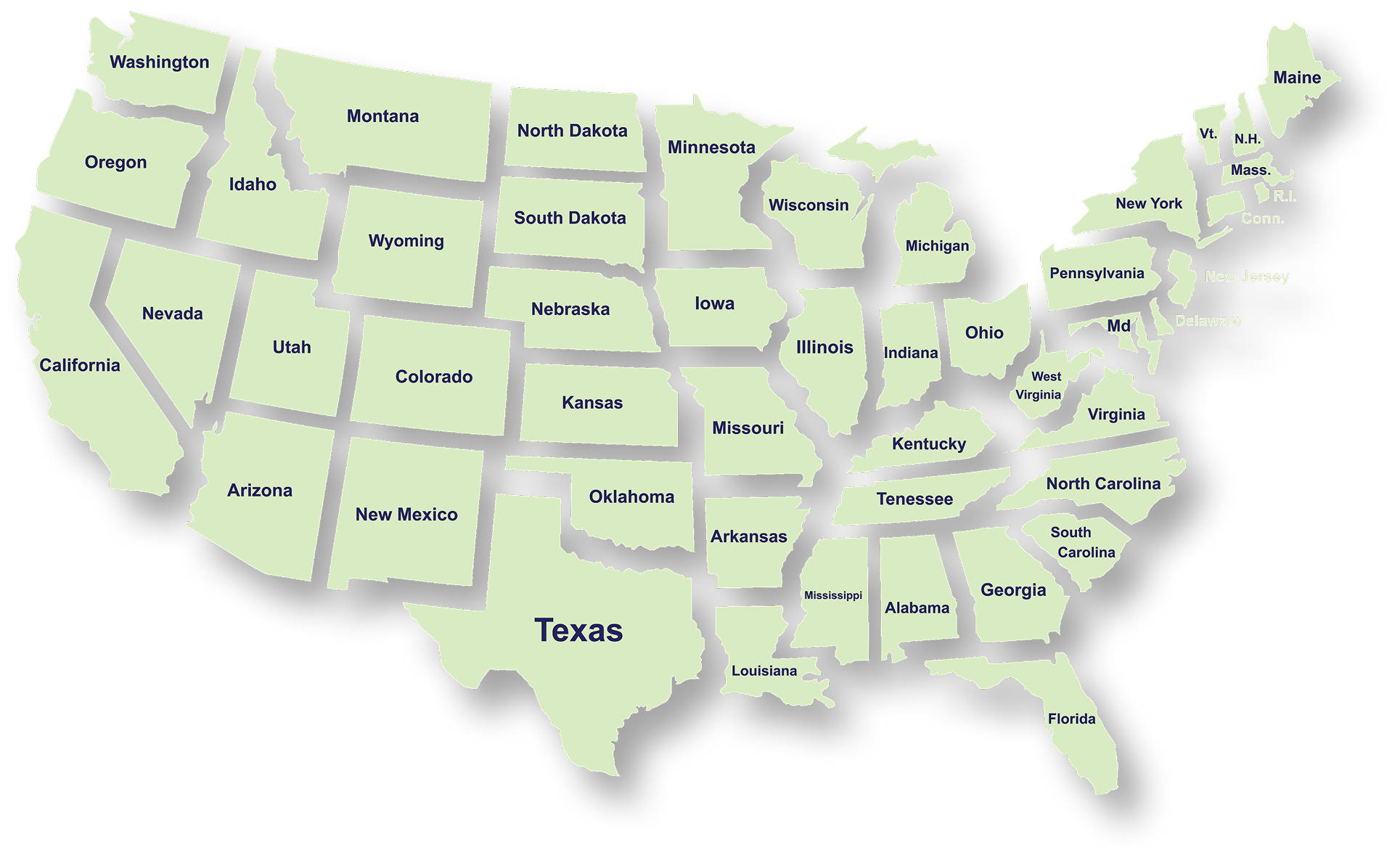
Serving Businesses & Individuals Across USA

We handle accounting, tax filing, and planning with defined timelines and accurate reporting for businesses and individuals across all states.

Frequently Asked Questions

What services does NR CPAs & Business Advisors provide?
What is tax planning and why is it important for businesses?
How can a Virtual CFO help my business?
When should a business consider IRS tax resolution services?
What financial statements does a business typically need?
How can startup advisory services help new businesses?
What is strategic business planning?
What is a Virtual Family Office and who can benefit from it?