Learning Center for Tax and Financial Insights

Stay updated with clear, actionable articles on tax rules, deadlines, deductions, and financial decisions that impact individuals and businesses.

No items found.

The Rise of Chamath Palihapitiya and the "All In" Podcast: An Overview

At the age of 46, Chamath Palihapitiya has already built for himself the type of career that most people can only dream of.After moving with his family to Canada at the age of five, he attended the esteemed Lisgar Collegiate Institute. Upon graduation, he attended the University of Waterloo where he earned his degree in Electrical Engineering. He worked for a year as a derivatives trader with a well-known investment bank, at which point he took a job at a then scarcely-known company called Winamp and moved to California.Flash forward to today and Chamath Palihapitiya is a highly successful venture capitalist. He is the founder and current CEO of Social Capital. He was an early senior executive at Facebook. He started his own fund, dubbed The Social+Capital Partnership (which eventually changed its name to Social Capital). He's also the co-host of the noted tech podcast "All In," which is where many people probably know him from.It wasn't always an easy road to get to where he is today, but for Chamath Palihapitiya it was a road that he was more than willing to travel down. Indeed, his story of perseverance and eventual success is inspiring in more ways than one.Mike Windle / Getty Images Entertainment via Getty ImagesChamath Palihapitiya: The Story So Far"Most of us are not born with the deck stacked in our favor, in all kinds of ways," said Chamath Palihapitiya. Looking back at the journey he's taken to get to where he is today, that seems to be a prevailing theme throughout his life and career.Not long after joining the team at Winamp, the company was quickly acquired by AOL. Suddenly, Palihapitiya found himself in the position of being the company's youngest vice president ever. He began to lead the instant messaging division starting in 2004, just when such technology was taking off in homes and on college campuses around the country.After a brief stint at the Mayfield Fund, he joined the team at Facebook in 2007 when it had only been in existence for a little more than three years. He left the company in 2011, which is when he started what would become Social Capital. This gave him an opportunity to invest in a wide range of different companies that interested him and that he believed in, including but not limited to ones like Yammer and Slack. By 2015, Social Capital had more than $1.1 billion in total assets.

Explore More
No items found.

What is the Difference Between an HSA and a Health FSA?

Article Highlights:Flexible Spending AccountsCommon Features of an FSAFSA Allowable Medical Expenses Unused Amounts (Use It or Lose It)Health Savings Accounts Enrolled in MedicareCovered Under a High-deductible Health PlanHSA Contributions and Contribution LimitsHSA as a Supplemental Retirement VehicleFSA-HSA Comparison Table The tax code provides two tax advantageous plans for taxpayers to pay medical expenses. One is a Flexible Spending Account (FSA) and the other is a Health Savings Account (HSA). The two are often misunderstood and their provisions are frequently mixed up by taxpayers who then fail to take advantage of the tax benefits available from these accounts. This article explains the workings, qualifications, and tax benefits of each with a side-by-side comparison chart of the two programs. Both have a common theme: contribution to both is made with pre-tax dollars (they reduce taxable income) and distributions to pay qualified medical expenses are tax free. After that the two plans are quite different. Flexible Spending Accounts (FSAs)There are three types of FSAs: dependent care assistance, adoption assistance and medical care reimbursements. This article will only be dealing with the latter, often referred to as a Health FSA. A Health Flexible Spending Account is part of a qualified cafeteria plan offered by an employer, that allows employees to contribute pre-tax dollars annually to be used by the employee to pay medical expenses of the employee, their spouse, and dependents during the year. The maximum contribution is annually inflation adjusted, and for 2023 is $3,050 (up from $2,850 in 2022). In the case of a married couple where each spouse has an FSA account with an employer, both can contribute the maximum. Since an FSA is an employer plan, an employee cannot take it with them if they leave their employment. Thus, FSAs are not transferrable and cannot be rolled into an individual’s health savings plan.Common Features of an FSA – Funds can be used for health insurance deductibles, copays, medication, and other health care related out-of-pocket costs. For ease of use, most FSA accounts come with a debit card. Employees can spend the money in the account before it’s fully funded.FSA Allowable Medical Expenses Include Those For:The diagnosis, cure, mitigation, treatment, or prevention of disease, or for the purpose of affecting any structure or function of the body, Prescription Drugs,Medication available without a prescription (an over-the-counter medicine or drug) that is prescribed),Insulin,Transportation primarily for and essential to medical care,Supplementary medical insurance for the aged,Feminine menstrual products, andPersonal Protective Equipment (COVID)No Double Dipping – Medical expenses reimbursed from the FSA cannot be claimed as a Schedule A medical itemized deduction.Unused Amounts (Use It or Lose It) – Unused amounts at the plan’s year end are generally forfeited by the employee. However, a plan can have either: A grace period of up to 2½ months after the end of the plan year in which to use up the unused amount or Allow up to 20% of the annual contribution limit ($610 for 2023) of unused amounts from the end of the plan year to be used to pay or reimburse qualified medical expenses in the following year. Unused amounts more than the carryover amounts are forfeited (cannot be returned to the employee). The carryover amount does not reduce the maximum contribution amount allowed for the carryover year. FSA participants need to pay close attention to their FSA account balances to ensure they do not forfeit any funds at year’s end. Health Saving Accounts (HSAs) Individuals must meet the following requirements to contribute to an HSA:Not be claimed as a dependent on anyone else’s tax return.Not be enrolled in Medicare.Covered under a high-deductible health plan (HDHP) and not be covered under any other health plan which is not an HDHP, unless the other coverage is permitted insurance or coverage for accidents, disability, dental care, vision care, or long-term care.Enrolled in Medicare – The IRS has interpreted being “enrolled in Medicare” to mean both eligibility for and enrollment in Medicare. An individual who is otherwise eligible, but who is not enrolled in Medicare Part A, may contribute to an HSA until the month enrolled in Medicare. Covered Under a High-deductible Health Plan – HDHPs come in two varieties: Self-Only plans and Family plans. Use the flow chart below to determine if a plan qualifies as a high-deductible health plan.

Explore More
No items found.

May 2023 Individual Due Dates

May 10 - Report Tips to EmployerIf you are an employee who works for tips and received more than $20 in tips during April, you are required to report them to your employer on IRS Form 4070 no later than May 10. Your employer is required to withhold FICA taxes and income tax withholding for these tips from your regular wages. If your regular wages are insufficient to cover the FICA and tax withholding, the employer will report the amount of the uncollected withholding in box 8 of your W-2 for the year. You will be required to pay the uncollected withholding when your return for the year is filed.May 31 - Final Due Date for IRA Trustees to Issue Form 5498Final due date for IRA trustees to issue Form 5498, providing IRA owners with the fair market value (FMV) of their IRA accounts as of December 31, 2022. The FMV of an IRA on the last day of the prior year (Dec 31, 2022) is used to determine the required minimum distribution (RMD) that must be taken from the IRA if you are age 72 or older during 2023.Weekends & Holidays:

Explore More
No items found.

May 2023 Business Due Dates

May 1 - Federal Unemployment TaxDeposit the tax owed through March if it is more than $500.May 10 - Social Security, Medicare and Withheld Income Tax File Form 941 for the first quarter of 2023. This due date applies only if you deposited the tax for the quarter in full and on time.May 15 - Employer’s Monthly Deposit DueIf you are an employer and the monthly deposit rules apply, May 15 is the due date for you to make your deposit of Social Security, Medicare and withheld income tax for April 2023. This is also the due date for the non-payroll withholding deposit for April 2023 if the monthly deposit rule applies.Weekends & Holidays:If a due date falls on a Saturday, Sunday or legal holiday, the due date is automatically extended until the next business day that is not itself a legal holiday.

Explore More
No items found.

Want to Improve Your Cash Flow? Shorten the Amount of Time it Takes to Get Paid

To say that things are uncertain right now when it comes to the economy is, in all probability, a bit of an understatement.Inflation is at levels we haven't seen in decades. Employment costs are rising across the board. Materials in a number of industries are more expensive than ever - if you can even get them at all thanks to still-ongoing issues with the fragile global supply chain.All of these issues can make it difficult for organizations to tackle one of their most essential challenges of all: cash flow. According to one recent study, approximately 82% of all businesses that fail do so due to poor cash flow management or just a general misunderstanding of the idea itself.Thankfully, this is only a hurdle if you allow it to be. Modernizing your back office processes can, among other things, help to dramatically reduce the amount of time it takes to get paid. That in turn can help with any current or potential cash flow issues, which is an excellent position to be in.Improving Cash Flow, One Change at a TimeBy far, one of the best ways to reduce the amount of time it takes to get paid by clients and other vendors involves asking for payment deposits at the beginning of any new business relationship.This particular method helps to accomplish a few different things all at once. For starters, if a client owes you $1,000 for a job that has already been completed, they're more likely to settle the total balance if they've already paid $250 of it versus having paid none of it. If they've already put forth a deposit before any work even started, they're motivated to quickly see things through to completion and are less likely to delay things any longer than they need to.It's also a great way to help get at least some money coming in the door all the time so if a client does end up paying the remaining balance late, you were able to get at least part of it ahead of time.Another option that you'll want to leverage has to do with switching to digital invoices. If you haven't already done so, understand in no uncertain terms that this is no longer a recommendation - it is a requirement.Think about it from a purely logistical perspective if nothing else. If you send an invoice to a client via USPS and it takes five business days to reach them, and then another five days pass before they act on it, and then another five days pass before you finally receive that payment check in the mail, that's 15 full days (at an absolute minimum) where your money was in limbo. A digital invoice, on the other hand, can be sent in seconds and paid just as quickly. Not only that, but you're freeing up the valuable time of your back-office employees so that they can focus on more important matters.

Explore More
No items found.

Why You Should Be Using Tags in QuickBooks Online, and How to Create Them

Classes and categories have their place in QuickBooks Online transactions. Tags add another way to track your financial data.QuickBooks Online is a great tool for creating, storing, and sending sales and purchase forms, and for building detailed customer and vendor profiles. Maybe that’s all you want it to do. But to get the most out of this web-based accounting application, you should really be using its classification tools so you can view related transactions as groups and learn how specific parts of your business are doing.Tags are the newest tool for this task. They’re customizable labels that allow you to track whatever you want, for whatever elements of your business that you want to track. You could determine how much you’re making and spending on different jobs. You could also track transactions related to, for example, ad campaigns, sales reps, and project managers. You’ll create and store tags as groups that you can view on one page. You can add them on the fly, and even run specialized reports. They’re extremely flexible tools that help you analyze your business in unique ways.How Are They Different?You may have encountered tags in other applications. In QuickBooks Online, they’re different from the other classification tools provided. You’ll assign categories to transactions primarily for tax purposes (how much did you spend on advertising or utilities or deductible meals?). Classes help you separate groups of income and expenses for job costing, budgeting, etc. And locations allow you to track income, expenses, and assets by geographic locations. Tags, on the other hand, are unlimited. You can track virtually any related sets of transactions.How Do You Create Tags?Before you can start creating tags, you have to create a Group to assign them to. Click the gear icon in the upper right and select Tags under Lists. This will take you to the Tags home page. Click New and then Tag group. A vertical pane will slide out from the right. Choose a Group name and specify a color. Click Save. Add a tag in the Tag name field and click Add. Once you’ve created a group, you can start adding tags.Keep adding tags until you have all you want. You can always add more later. When you’re finished, click Done. Back at the Tags home page, you’ll see your new group listed.How Do You Use Tags In Transactions?Tags have no impact on your accounting books. They simply provide information to you in lists and reports.Let’s say you run a small clothing store. You want to be able to see quickly which seasons have the most sales and which employees sell the most. You could create two groups: Clothing seasons and Employees. You want to create sales receipts to compare seasonal and by-employee sales.

Explore More
No results found.
Thank you! Your submission has been received!
Oops! Something went wrong while submitting the form.

Want tax & accounting tips & insights?Sign up for our newsletter.

Thank you! Your submission has been received!
Oops! Something went wrong while submitting the form.

Why Work With Us?

We combine deep tax expertise, financial strategy, and practical business insight to help you manage complexity, stay compliant, and make confident financial decisions.
A dollar sign, representing financial advice or discussion at NR CPAs & Business Advisors.

Experienced CPA and Enrolled Agent Leadership

Guidance led by licensed professionals with deep expertise in tax strategy, compliance, and complex financial matters.
White bar chart with an upward arrow on green circular background representing growth or progress at NR CPAs &. Business Advisors

Support for Growing Businesses and Startups

We understand the financial challenges of growth stage businesses and provide structured guidance to support expansion.
A white hand holding a dollar symbol and ascending bar chart on a green circular background representing financial growth or investment at NR CPAs & Business Advisors..

Strategic Financial Advisory

Our team helps you evaluate financial decisions with greater clarity, supported by practical insights and long term planning.

Fractional CFO Support

Access experienced financial leadership without the commitment and cost of hiring a full time Chief Financial Officer.

Proactive Tax Planning Approach

We focus on identifying tax opportunities throughout the year rather than reacting only during filing season.

Clear and Reliable Financial Reporting

Accurate financial statements and reporting that help you better understand performance and make informed decisions.
White IRS building icon with pillars and a dollar sign above on a green circular background.

Professional IRS Representation

Experienced support in resolving IRS notices, disputes, and compliance matters while protecting your financial interests.

Personalized Client Focus

Every client receives thoughtful attention and tailored financial solutions based on their specific needs and business goals.
Financial matters often involve important decisions. Working with experienced advisors can help you approach them with greater clarity and confidence in your choices.

Need Help With Your Tax or Financial Decisions?

Discuss your situation with our advisors to get clear guidance on tax planning, IRS matters, and the financial decisions ahead.
Business consulting at NR CPAs & Business Advisors.

Request Your Consultation

Fill out the form to discuss your tax concerns, financial questions, or advisory needs with our team. We will review your details and respond shortly.

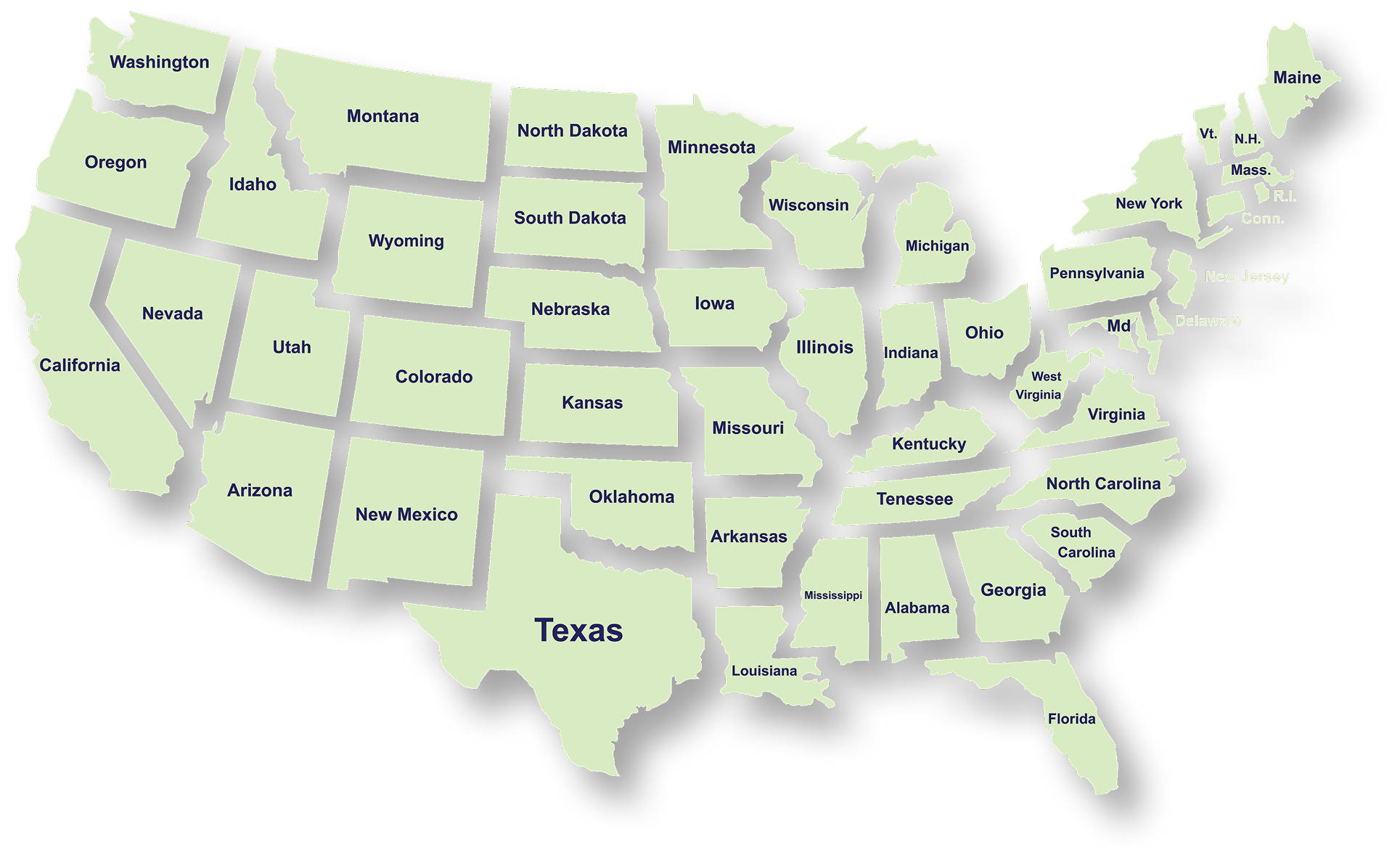
Serving Businesses & Individuals Across USA

We handle accounting, tax filing, and planning with defined timelines and accurate reporting for businesses and individuals across all states.

Frequently Asked Questions

What services does NR CPAs & Business Advisors provide?
What is tax planning and why is it important for businesses?
How can a Virtual CFO help my business?
When should a business consider IRS tax resolution services?
What financial statements does a business typically need?
How can startup advisory services help new businesses?
What is strategic business planning?
What is a Virtual Family Office and who can benefit from it?