%201.avif)


.png)
.png)

IRS CP501 & CP503: Balance Reminder Notices

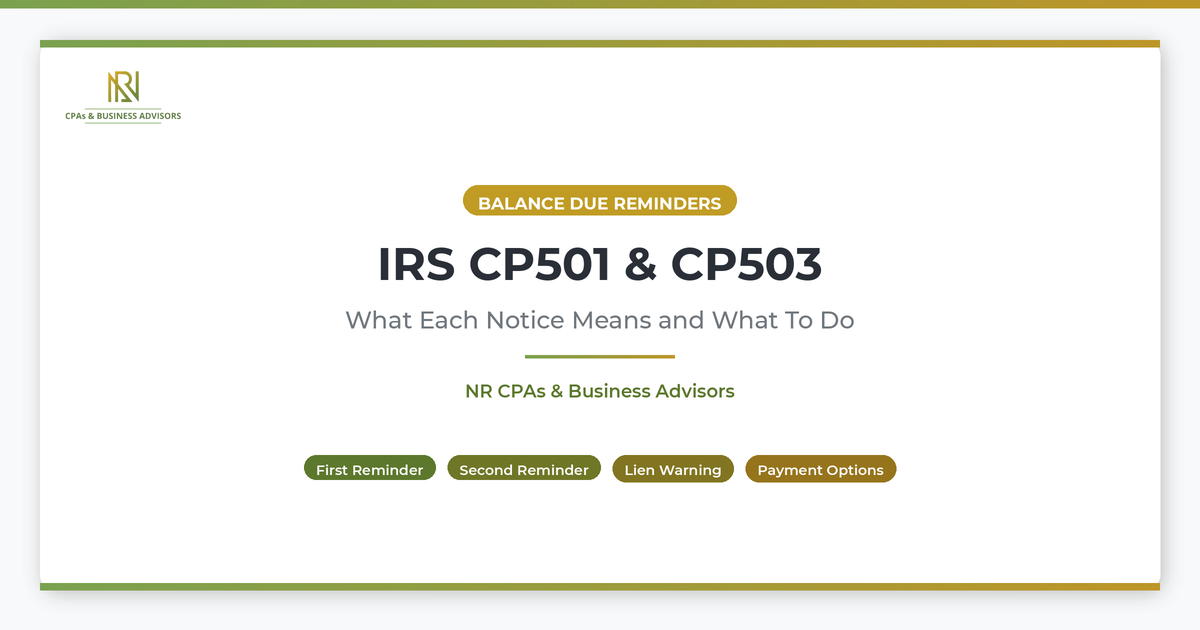
The CP501 and CP503 are IRS balance due reminder notices that the agency sends when you have an unpaid tax balance and have not responded to earlier correspondence. According to the IRS, the CP501 is the first reminder and the CP503 is the second, and both restate the original amount owed plus any additional penalties and interest that have accrued since the initial notice was issued. Neither the CP501 nor the CP503 is a final notice or a threat of immediate enforcement, but ignoring them moves your account closer to active collection actions including levies and liens.
Both notices include the total balance owed, the due date for payment, and the payment options available to you. They also include a toll-free phone number you can call to discuss your account or arrange a resolution. For a broader overview of how all IRS notices work and where these reminders fit in the larger system, our complete guide to IRS correspondence covers every notice category from adjustments to enforcement.
What The CP501 Notice Means
The CP501 is the first reminder the IRS sends after the initial CP14 balance due notice goes unpaid. According to the IRS, you receive a CP501 because the agency has a balance due on one of your tax accounts and has not received payment or a response. The notice restates the amount you owe, including the original tax, any assessed penalties, and interest that has continued to accrue since the CP14 was issued.
The CP501 is not a new assessment or a correction to your return. It is a follow-up to the CP14, which is the first notice the IRS sends when a filed return shows an unpaid balance. Taxpayers who want to understand that initial balance due notice in detail can review our full guide to the CP14 and its response options. At the CP501 stage, you still have the full range of resolution options available, including paying in full, setting up an installment agreement, or disputing the balance if you believe it is incorrect.
What The CP503 Notice Means
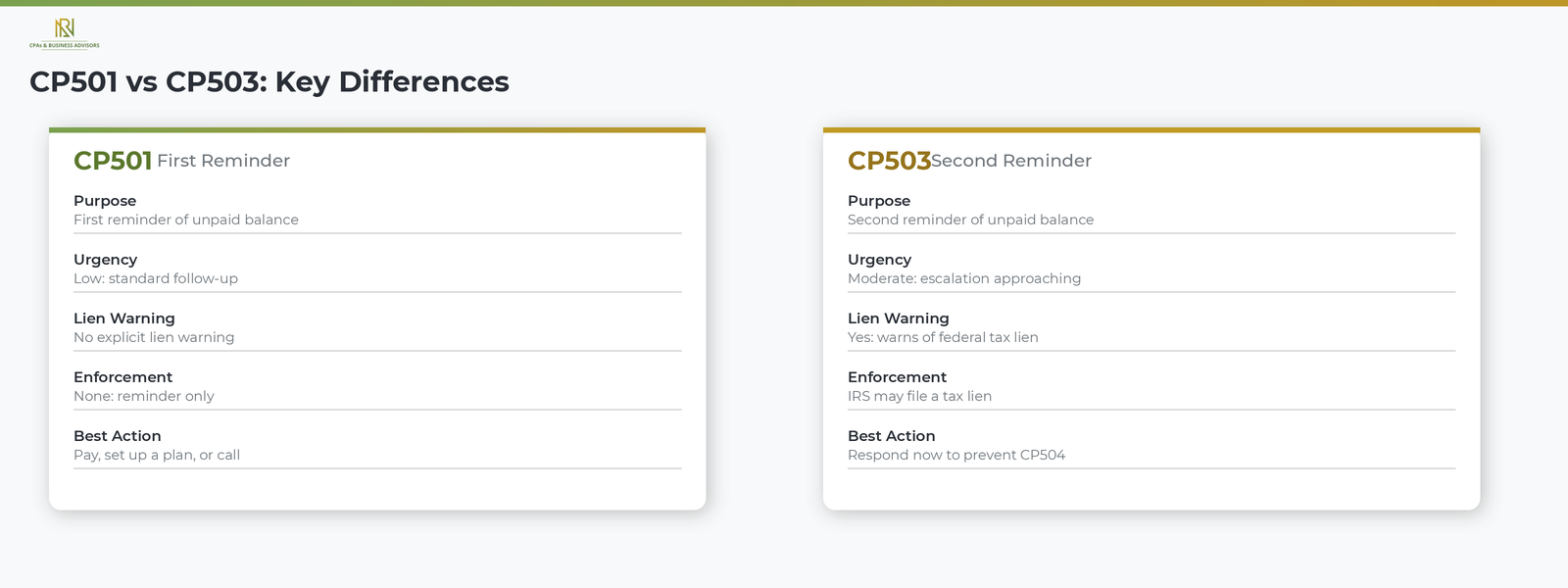
The CP503 is the second reminder the IRS sends when the balance from the CP501 remains unpaid and the agency has still not heard from you. According to the IRS, the CP503 carries stronger language than the CP501 and explicitly warns that continued inaction may result in the IRS filing a Notice of Federal Tax Lien. A federal tax lien is a public claim against your current and future assets that can damage your credit, make it difficult to sell or refinance property, and establish the government's legal priority over other creditors.
The structure of the CP503 is nearly identical to the CP501. It lists the total balance owed, the payment due date, available payment options, and the toll-free number for contacting the IRS. The key difference is the escalation in urgency: while the CP501 is a straightforward reminder, the CP503 signals that the IRS is preparing to take more aggressive action if you continue to not respond.
How CP501 And CP503 Fit In The IRS Collection Sequence
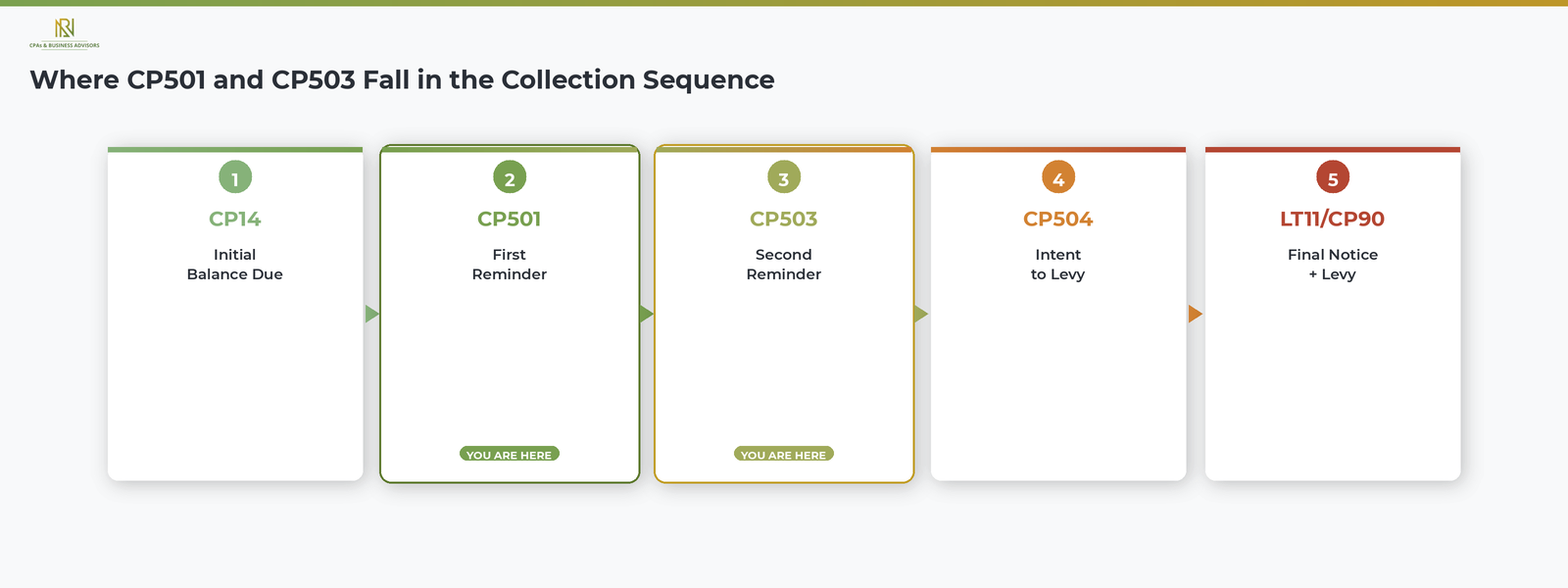
The CP501 and CP503 are the second and third steps in a five-step IRS collection sequence that begins with a balance due notice and ends with asset seizure. According to the IRS, the standard progression for an unpaid individual tax balance works as follows.
- CP14: the initial balance due notice, sent after you file a return with an unpaid amount.
- CP501: the first reminder that the balance remains unpaid.
- CP503: the second reminder, with a warning about a potential federal tax lien.
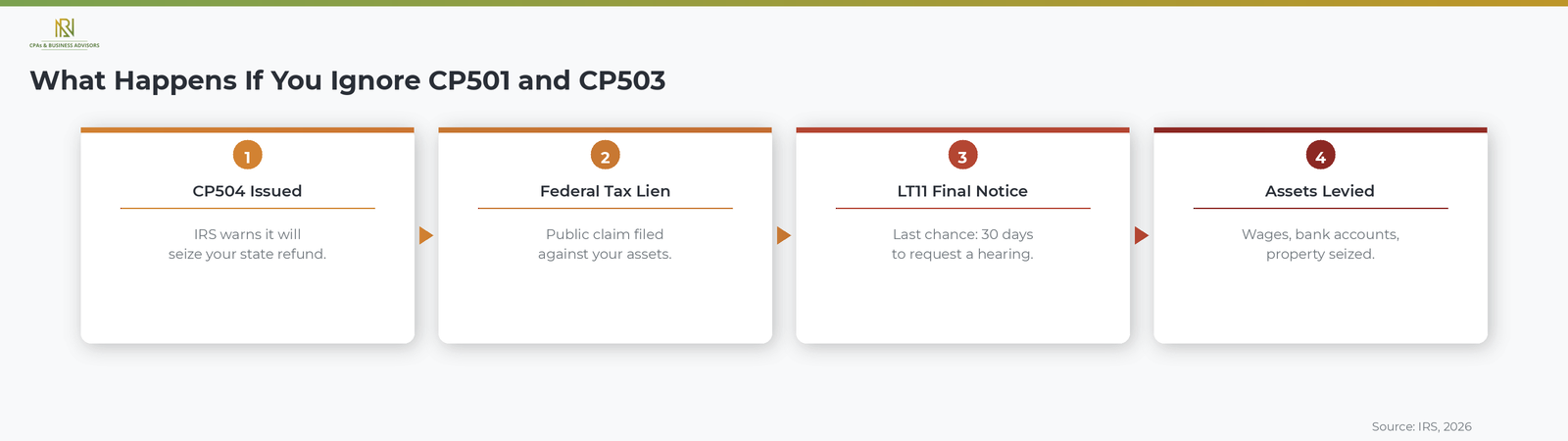
- CP504: the Notice of Intent to Levy, authorizing the IRS to seize your state tax refund. Taxpayers who reach this stage can review our full explanation of the CP504 and how to respond.
- LT11 or CP90: the Final Notice of Intent to Levy, authorizing the IRS to seize wages, bank accounts, and other property.
The CP501 and CP503 represent the window where you have the most options and the least pressure. Penalties and interest continue to accrue at every stage, but no enforcement action, such as a levy or lien, has been initiated yet. Responding at this point is significantly less stressful and more flexible than waiting until the IRS issues a CP504 or final levy notice.
How To Respond To A CP501 Or CP503 Notice
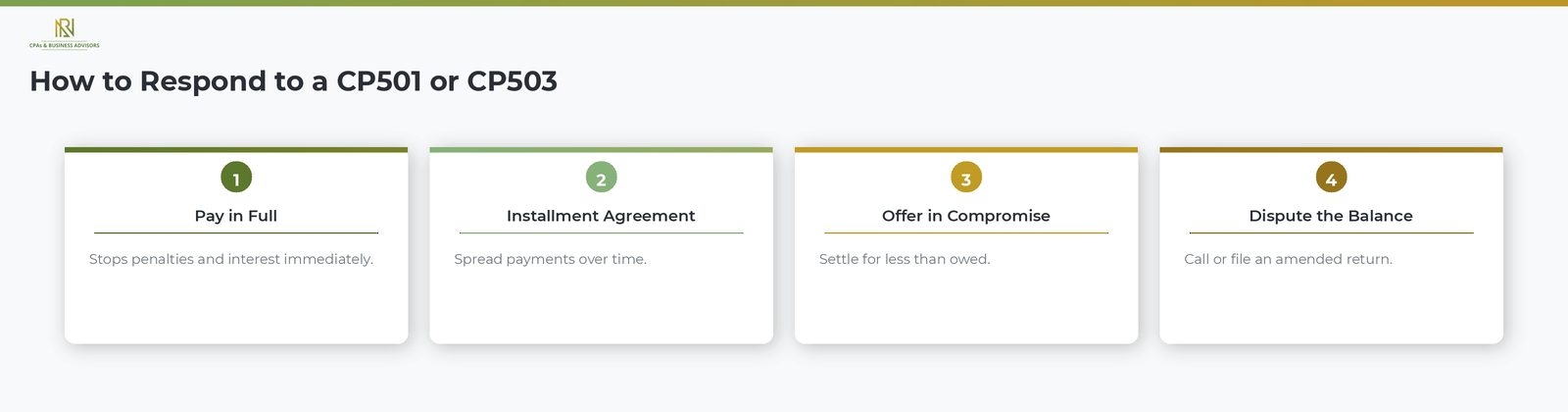
The response process is the same for both the CP501 and the CP503: pay the balance, set up a payment arrangement, or contact the IRS to dispute the amount if you believe it is wrong. Your best option depends on your financial situation.
- Pay the balance in full. The fastest way to stop penalties and interest from continuing to grow. You can pay online at IRS.gov through IRS Direct Pay, by phone, or by mailing a check with the payment voucher from the notice.
- Set up an installment agreement. If you cannot pay the full amount at once, you may qualify for a monthly IRS payment plan or installment agreement that spreads payments over time. Our step-by-step guide to structured payment options covers the application process, balance thresholds, and how interest is calculated.
- Submit an Offer in Compromise. If your financial circumstances make the full balance unlikely to be collected, you may be able to settle for less than you owe.
- Dispute the balance. If you believe the amount is incorrect, call the toll-free number on the notice to discuss your account. If the error relates to income exclusions or credits you did not claim, you may need to file an amended return (Form 1040-X) with the correct information.
Taxpayers experiencing financial hardship may also qualify for the IRS Fresh Start program, which eases the qualification requirements for installment agreements and expands access to penalty relief for eligible individuals and businesses.
What Happens If You Ignore A CP501 Or CP503
Ignoring a CP501 or CP503 does not make the balance go away. It causes the IRS to escalate to the next stage of collection, where the consequences become significantly more severe. According to the IRS, the next notice after the CP503 is the CP504, which is a formal Notice of Intent to Levy. The CP504 authorizes the IRS to seize your state income tax refund and warns that further enforcement, including levies on wages, bank accounts, and personal property, will follow.
Beyond the CP504, the IRS issues a final notice (LT11 or CP90) that authorizes levies on virtually all of your assets and triggers your right to a Collection Due Process hearing. The IRS can also file a Notice of Federal Tax Lien at any point in this process, which becomes a public record and can affect your credit for years. Penalties and interest continue to accrue throughout the entire sequence, increasing the total amount owed with each month that passes without resolution.
Frequently Asked Questions About CP501 And CP503 Notices
What Is The Difference Between A CP501 And A CP503?
The CP501 is the first reminder and the CP503 is the second. According to the IRS, both notices restate your unpaid balance with updated penalties and interest. The CP503 carries stronger language and explicitly warns that the IRS may file a federal tax lien if you do not respond, while the CP501 does not include that warning.
How Long Do I Have To Respond To A CP501 Or CP503?
Both notices include a specific due date printed on the document, and you should respond by that date to avoid further penalties and escalation. According to the IRS, paying or contacting the agency before the due date on the notice is the most effective way to prevent the next notice in the collection sequence from being issued.
Can The IRS Levy My Assets After A CP501 Or CP503?
No, the IRS cannot levy your assets based on a CP501 or CP503 alone. According to the IRS, the agency must first issue a CP504 (Notice of Intent to Levy) and then a final notice (LT11 or CP90) with Collection Due Process hearing rights before it can proceed with seizing your property. However, the IRS can file a federal tax lien after the CP503 stage without issuing additional notice.

.avif)
.avif)