Learning Center for Tax and Financial Insights

Stay updated with clear, actionable articles on tax rules, deadlines, deductions, and financial decisions that impact individuals and businesses.

No items found.

What to do next if you are a victim of Identity Theft?

With the Equifax breach and the onslaught of phishing email attacks, identity theft is becoming a part of everyday life. If you are a victim or think you may be a victim, here are some steps to take…

Explore More
No items found.

I Didn't File My Tax Return; Now What?

There are a lot of perfectly reasonable reasons for not having filed your income taxes. Many people who fail to file are new to the job market, and never having filed before may simply have been unaware of the requirement to do so. Some people know but are too overwhelmed with other life events, including illnesses, death, or job loss. Whatever your reason and whether you’ve only missed one year of filing or several, there comes a point when you either remember on your own or are prompted for a request for a copy. Now, what do you do? And how much trouble are you in? Here’s the Good News First of all, if you’re the one who realized that you haven’t filed rather than getting a notice from the IRS or your state tax authority, then you’re probably not in too much trouble. Even if you’ve gotten a notice, there’s a specific legal process that gets followed when a taxpayer hasn’t filed a return, and it is a perfectly reasonable procedure that can be addressed and managed. There is no reason to panic, as nobody is going to break down your door and haul you away. Filing taxes is a matter of paperwork and payment. If you haven’t been in compliance, you simply need to amend the situation and pay some penalties, and possibly some interest. As A Matter of Fact … You may not even have been required to file a return. There are plenty of taxpayers whose circumstances are such that they aren’t required to file a tax return, and when that’s the case, the state frequently follows their lead (which is a good thing, as many times the penalties that a state charges for failure to file tax returns are higher than those imposed by the federal government.) The best and easiest way to find out whether you are one of those who didn’t need to file is to visit the IRS website, where there is a handy tool called “DO I NEED TO FILE A TAX RETURN?” Plug in your relevant information about the tax year in question, your income, household composition and filing status for a quick answer. You may be in for a pleasant surprise unless you fall into one (or more) of the following categories: You earned at least $400 in profit from being self-employed. This can include any job for which you received a 1099, and anything from doing freelance work as a writer to providing landscaping services for your neighbors. Driving for Lyft or Uber counts too. You sold your house, even if it was a break even or loss and you had no income that year You received unemployment benefits You are a worker who earns tips and they weren’t reported to your employer. Even if you reported them you may have to file a tax return if they didn’t submit payroll taxes for them.

Explore More
No items found.

Why It Might be Time for Your Small Business to Migrate to Cloud Accounting

Cloud accounting is a big idea that brings with it a lot of lofty implications, but if you had to distill all of that down to its bare essentials it would probably look at lot like this: Right now, if you want to manage the financial side of your small business, you probably have to be in your office to do so. You have to be sitting in front of a very specific computer, because that's where you installed your accounting solution in the first place. If you're at home and you need to send an invoice or if you're out in the field and just collected a payment, you have to wait until you get back to the office to actually reconcile that information. With cloud accounting, however, the hardware no longer matters because your accounting software was never installed on it in the first place. It exists on a centralized server that is always connected to the Internet. Because of that, you can access that information from any device with a web connection - be it your laptop while you're in an airport lounge or your mobile phone while you're in a client's office or your tablet that you keep by your bedside at night or, yes, the computer in your office. The choice is yours. But in the end, it's exactly that - a choice, and one that should not be made lightly. If you really want to know why you should migrate to cloud accounting, or even if you should do so at all, you'll need to keep a few key things in mind. The Advantages and Disadvantages of Cloud Accounting Once you've learned as much as you can about what cloud accounting can actually do, it's time to move into the realm of figuring out exactly what it can do for you. The question of whether or not this is the right move for you to take is ultimately one that you and you alone can make. By examining the subject from the perspective of both positives and negatives, you'll be in a better position to make the right decision for your own goals at exactly the right time. For starters, the good. The cloud is often a major advantage to businesses that are just starting out in particular, as it often provides them the flexibility they need to manage accounts from anywhere, any time, in any way. All you need is a mobile device, an Internet connection, and the right piece of accounting software and you can manage the entire financial side of your business just as effectively while you're stuck in traffic as you can behind your desk in your office. Cloud accounting is also great for collaboration, which is particularly helpful if you don't have one single person who has been tasked with managing business accounts. Not only can multiple users have access as needed from any location, but they can also communicate and work together so that everyone can stay on the same page in terms of financial activity. The same is true if you're working with a dedicated accountant, as the cloud can essentially give them real-time visibility into a business for a level of insight they just wouldn't have through other means. Another one of the major benefits of cloud accounting is that the types of software you'll be using can typically be easily integrated with other aspects of your infrastructure that have already made the jump. In the past, you were likely dealing with silos that hampered productivity and made routine administrative tasks take longer than they really should have. Invoicing payments, general accounting, payroll and even HR were all probably totally separate elements. Now, with everything in the cloud, data can be shared freely and information is available in an instant - perfect for breaking down those silos once and for all. Now, none of this is to say that the cloud has NO disadvantages - far from it. To begin with, the actual process of moving from your existing system and into the cloud will hardly be as simple as flipping a light switch. If you're staying with software from the same company, that's one thing. If you're not, you'll need to prepare your data so that it can be seamlessly integrated into the new system. A new piece of software may require different naming conventions or different arrangements of columns and rows, for example. This won't necessarily be the most challenging task you'll ever face as an entrepreneur, but it certainly won't happen overnight either. You also have to think about whether or not you're comfortable with the fact that you're giving up a certain level of control over your data to a third party. All of your financial information will no longer be stored on a hard drive in your office - it will be on a server that could be halfway around the country (or the world). If your provider gets hacked, you get hacked. If your provider is disconnected, you're disconnected. If your third-party vendor isn't in compliance with any industry-specific regulations that you have to adhere to, guess what - neither are you. All of these are challenges that can certainly be addressed, but they also represent a fairly significant change from the way you're probably used to doing things. Again, this is not a decision that anyone else but you can make. Most small business owners in particular will absolutely benefit from the advantages that cloud accounting brings with it... but some won't. Don't look at cloud computing as a solution in search of a problem. You'll know when it's time to make the jump by recognizing a number of real problems that you're facing that cloud accounting represents the perfect solution to. Migration Best Practices Once you have decided that the time is right to make the jump into the world of cloud accounting, there are a few key steps that you can start taking today to help make the process go as smoothly as possible. First, shop around. Not all cloud accounting software is created equally. Make a list of all the things that you can't do today that you want to be able to do in the cloud, or all of the things that you CAN do today but that will hopefully be BETTER in the cloud, and keep that list handy while you search for a new solution. Once you've picked the right option, spend some time getting used to it before implementation. Watch online videos, consult with an accounting pro, ask questions, etc. Only once you're certain that you know how to use your new cloud software properly should you proceed. Next, you'll want to prepare your existing data - the process of which will vary based on the aforementioned factors. If you do happen to be transitioning over to a brand new piece of software, make a list of all the data that must make the transition so that you can keep things as organized and as focused as possible. Note that when it comes to entering data into your new system, you may be able to automate some, or even all, of the process depending on the solutions you're dealing with. This can definitely help speed the process along as much as possible. But a word to the wise - always be sure to back up all of your existing data in a secure, recoverable way BEFORE the process starts. If something goes wrong, if you make a mistake, or if a catastrophe happens, you want to be able to rest easy knowing that nothing has been lost. At that point, all you have to do is continue to look for opportunities for improvement on an ongoing basis. Once you've put a little distance between yourself and your implementation process, ask yourself questions like:

Explore More
No items found.

QuickBooks Tip: Customizing QuickBooks' Forms

The invoices and other forms you send to customers and vendors should reflect your company’s attention to detail, accuracy, and consistency. Every opportunity you have to interact with your customers and vendors is critical. Whether it’s a phone call, an in-person connection, or an email, how you present yourself reveals a lot about you. Are you efficient? Friendly? Do you handle orders and problems and payment issues quickly and carefully? Your accounting forms can also contribute to your image. They should always be: Neat and attractive. Easy to read, with the most important information displayed prominently. Consistent with any graphics you use on other company materials. Accurate, above all. You might be able to use at least some of QuickBooks’ form templates as is, without any modifications. But couldn’t they be better? More visually appealing? Formatted to include only the fields that your business most often needs? QuickBooks contains the customization tools you need to make them so. Improving What Exists You can personalize your QuickBooks forms and make them consistent with any design themes your brand may use. We’ll look at the modification options for an invoice, though, depending on what version of QuickBooks you’re using, you can also work with sales receipts, purchase orders, statements, estimates, sales orders, and credit memos. Start by opening the Lists menu and selecting Templates. Highlight Intuit Product Invoice in the list. Click the down arrow next to Templates in the lower left corner and choose Edit Template. The above image displays part of the window that opens. Here, you can add a logo, change the color scheme, and change fonts for your company’s contact information and the labels that identify each field (like Bill To, Terms, and Quantity). The right pane of this window shows you what the form will look like as you make changes. Nothing you’ve done so far will prevent you from using Intuit’s pre-printed forms. But when you click Additional Customization at the bottom of the screen, you’ll be warned that if you make modifications beyond this point, the forms may not print correctly. To be safe, click Make a Copy. You’ll be able to print this new version on plain paper. Deeper Customization The image below shows you part of the window that opens when you click on Additional Customization

Explore More
No items found.

You May Not Get a Tax Refund Next Year

Article Highlights: Payroll Withholding W-4 2018 Tax Projection Adjusting Withholding With all of the tax reform changes and the corresponding reductions in most taxpayers’ income tax withholding, there are serious concerns that the reduction in withholding, although providing more take-home pay now, could end up resulting in unexpected taxes due at tax time next year. For that reason, taxpayers should be overly cautious about their payroll withholding for 2018. One need only look at the W-4 instructions to realize that an individual without any substantial tax training can quickly become lost when filling out the worksheets. It is not business as usual. What adds to the problem is that many taxpayers count on a refund to pay property taxes, insurance, and other large expenses. The W-4 worksheets are designed to withhold the correct amount of tax with no substantial refund, and many tax practitioners are reporting that clients’ withholdings for 2018 have been reduced to seriously low amounts.

Explore More
No items found.

Big Changes Ahead For How Alimony is Treated for Tax Purposes

Article Highlights: What Is Alimony? Decrees before 2019 Decrees after 2018 Note: This is one of a series of articles explaining how the various tax changes in the GOP’s Tax Cuts & Jobs Act (referred to as “the Act” in this article), which passed in late December of 2017, could affect you and your family, both in 2018 and in future years. This series offers strategies that you can employ to reduce your tax liability under the new law. Alimony is the term used for payments to a separated spouse or ex-spouse as part of a divorce or separation agreement. Since 1985, to be alimony for tax purposes, the payments: Must be in cash, paid to the spouse, ex-spouse, or a third party on behalf of a spouse or ex-spouse; Must be required by a decree or instrument incident to a divorce, a written separation agreement, or a support decree; Cannot be designated as child support; Will be valid alimony only if the taxpayers live apart after the decree is issued or the agreement is signed. Spouses who share the same household don’t qualify for alimony deductions. This is true even if the spouses live separately within the dwelling unit. Must end on the death of the payee; and Cannot be contingent on the status of a child (that is, any amount that is discontinued when a child reaches 18, moves away, etc., is not alimony). The payments need not be for support of the ex-spouse or based on the marital relationship. They can even be payments for property rights, as long as they meet the above requirements. Payments need not be periodic, but there are dollar limits and "recapture" provisions if there is excess front-loading of payments. Even if the payments meet all of the alimony requirements, the couple may designate in their agreement or decree that the payments are not alimony, and that designation will be valid for tax purposes.

Explore More
No results found.
Thank you! Your submission has been received!
Oops! Something went wrong while submitting the form.

Want tax & accounting tips & insights?Sign up for our newsletter.

Thank you! Your submission has been received!
Oops! Something went wrong while submitting the form.

Why Work With Us?

We combine deep tax expertise, financial strategy, and practical business insight to help you manage complexity, stay compliant, and make confident financial decisions.
A dollar sign, representing financial advice or discussion at NR CPAs & Business Advisors.

Experienced CPA and Enrolled Agent Leadership

Guidance led by licensed professionals with deep expertise in tax strategy, compliance, and complex financial matters.
White bar chart with an upward arrow on green circular background representing growth or progress at NR CPAs &. Business Advisors

Support for Growing Businesses and Startups

We understand the financial challenges of growth stage businesses and provide structured guidance to support expansion.
A white hand holding a dollar symbol and ascending bar chart on a green circular background representing financial growth or investment at NR CPAs & Business Advisors..

Strategic Financial Advisory

Our team helps you evaluate financial decisions with greater clarity, supported by practical insights and long term planning.

Fractional CFO Support

Access experienced financial leadership without the commitment and cost of hiring a full time Chief Financial Officer.

Proactive Tax Planning Approach

We focus on identifying tax opportunities throughout the year rather than reacting only during filing season.

Clear and Reliable Financial Reporting

Accurate financial statements and reporting that help you better understand performance and make informed decisions.
White IRS building icon with pillars and a dollar sign above on a green circular background.

Professional IRS Representation

Experienced support in resolving IRS notices, disputes, and compliance matters while protecting your financial interests.

Personalized Client Focus

Every client receives thoughtful attention and tailored financial solutions based on their specific needs and business goals.
Financial matters often involve important decisions. Working with experienced advisors can help you approach them with greater clarity and confidence in your choices.

Need Help With Your Tax or Financial Decisions?

Discuss your situation with our advisors to get clear guidance on tax planning, IRS matters, and the financial decisions ahead.
Business consulting at NR CPAs & Business Advisors.

Request Your Consultation

Fill out the form to discuss your tax concerns, financial questions, or advisory needs with our team. We will review your details and respond shortly.

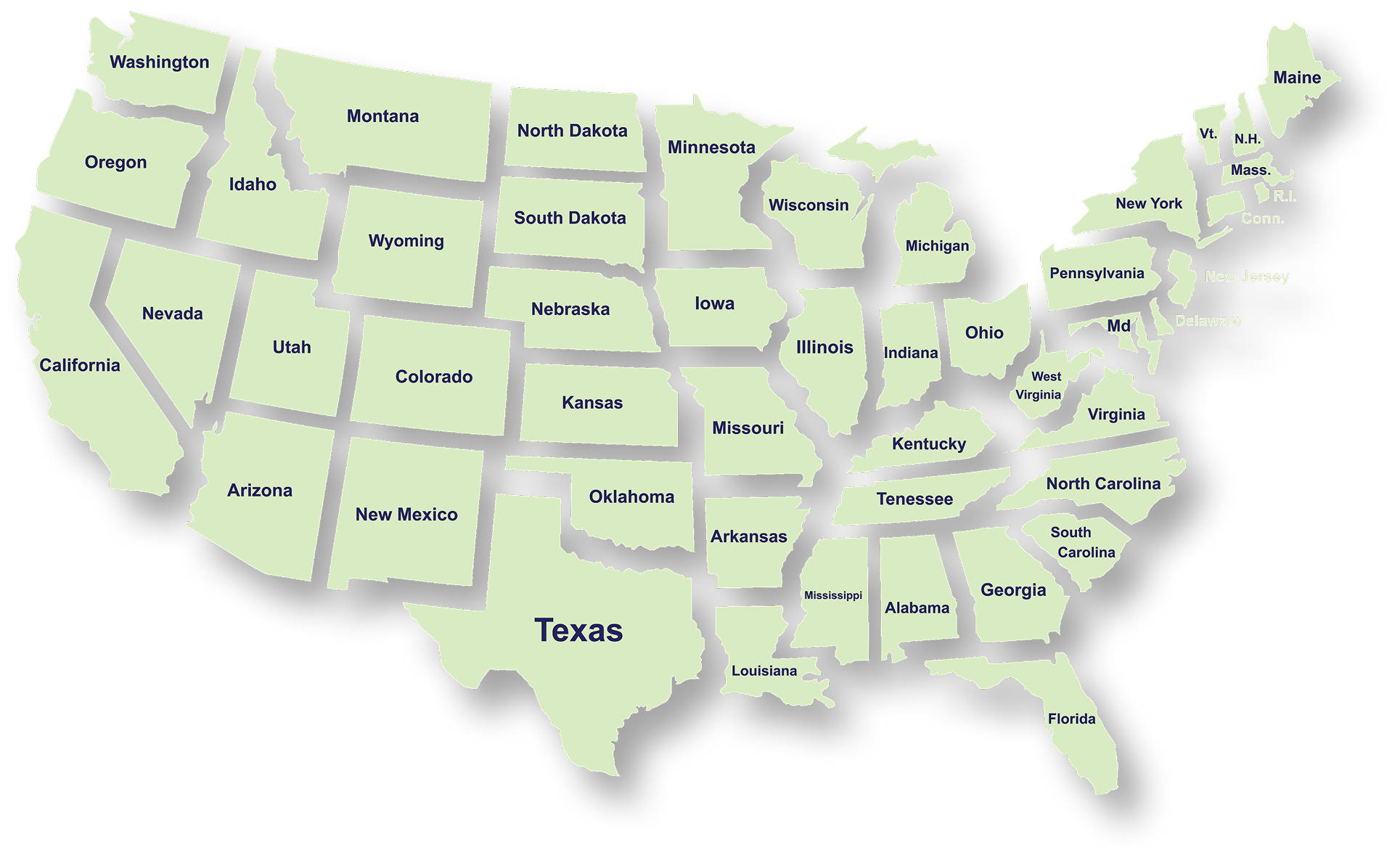
Serving Businesses & Individuals Across USA

We handle accounting, tax filing, and planning with defined timelines and accurate reporting for businesses and individuals across all states.

Frequently Asked Questions

What services does NR CPAs & Business Advisors provide?
What is tax planning and why is it important for businesses?
How can a Virtual CFO help my business?
When should a business consider IRS tax resolution services?
What financial statements does a business typically need?
How can startup advisory services help new businesses?
What is strategic business planning?
What is a Virtual Family Office and who can benefit from it?